
A Hands-On AI Class For People Who Aren't Techies
Online, live. Three hours. Nobody watches slides. Everybody leaves having actually done real things with AI — and knowing how to do them again on Monday. Twenty-nine dollars. Intermediate is Saturday, October 24. The next Beginner class is Saturday, October 31.
The October classes
Both run 9:00 AM to 12:00 PM Eastern on a Saturday, online. Intermediate is open for booking now. Booking for the October 31 Beginner class opens in the next few days — until it does, its button puts you on the list and you'll get the booking link first. Once you book, the join link arrives by email straight away. It's live and hands-on — you'll be doing the work alongside me, not watching a video afterwards.
Intermediate · Sat, Oct 24
$29 · 9am–12pm ET · online
Stop typing, start building. Four layers: what it remembers about you, what it can reach, what it does unasked, and what runs with no window open at all. You'll build a real automation live — you star an email, a row lands in your spreadsheet.
For you if you already use AI most weeks and suspect you're using one floor of it.
Save my seatBeginner · Sat, Oct 31
$29 · 9am–12pm ET · online
Start from scratch. The prompt framework, the four traps, and four real things done live on your own laptop: a week of dinners, the family schedule, a budget, and a fitness plan.
Get the booking link firstIt's $29 because I'm trying to find out whether anybody will pay for this, not because I'm building an empire. If you're on the fence, that's exactly what twenty-nine dollars is for.
One heads-up so nothing surprises you: the checkout page says FamilyPilot LLC. That's my company — same me, I just never got around to registering a second one.
You don't need to be technical. You need someone who's already made the mistakes.
I'm Brian. A year ago I was intimidated by all of this. I figured it out in public, one week at a time, in front of a few hundred people who were just as lost as I was.
Then people started asking whether I'd just show them. So I booked a room.
This is not a lecture, and it is definitely not a webinar where somebody screen-shares a dashboard for ninety minutes. It's the four things in your actual life — the meals, the family schedule, the budget, the workout — done live, on your own laptop, with me walking the room.
35 seconds from the first class · August 2026
Four things you'll actually do
Every one follows the same rhythm: I do it on the big screen, we do one together, then you do your own.
1 · A week of dinners
Five weeknight meals on a budget, around what your family will actually eat, with a grocery list grouped by store section — then the rerun that reuses leftovers so nothing gets thrown out. Easiest win, biggest first laugh.
2 · The family schedule
Two kids, three activities, one work trip. Color-coded, conflicts flagged, and a list of what you need to prep the night before. This is where we learn to push back and ask again — the single skill beginners skip.
3 · The budget
A real 50/30/20 built from your numbers, where the money's leaking, and three specific cuts. Then the one that makes the room go quiet: what happens if your income drops twenty percent.
4 · Fitness & habits
A four-week plan around the time and equipment you actually have, plus a printable habit tracker the AI builds for you on the spot. Lightest, most fun, best payoff.
How the time goes
| Time | What happens |
|---|---|
| 0:00 | Welcome and the honest promiseWho I am, why I'm qualified mostly by having failed at this first, and the deal: you'll leave having done three real things. |
| 0:15 | How to actually talk to itThe four-part prompt framework, and the four traps that make beginners give up. |
| 0:30 | Setup, togetherEverybody logs in, we tour the screen, everybody sends one throwaway prompt to break the ice. |
| 0:45 | Demo 1 — MealsEasiest win first. Confidence built before anything hard. |
| 1:10 | Demo 2 — Family scheduleWhere we learn to iterate instead of accepting the first answer. |
| 1:35 | BreakCoffee. Real coffee. |
| 1:45 | Demo 3 — BudgetPlus the privacy and "verify this" guardrails, said out loud. |
| 2:10 | Demo 4 — Fitness and the printableThe visual payoff. |
| 2:30 | Recap and take-homeYou leave with the guidebook and a list of what to try this week. |
R-C-T-F, plus the pro move
Most people type one line into AI like it's Google and get a generic answer back. There's a shape to a good prompt. It's four parts, it takes ten seconds longer, and it changes everything.
Here's all five at once. The colors match the boxes above.
Change anything in brackets. Works free on Claude, ChatGPT, or Gemini.
How the pilot actually went
Eight people, half in the room and half on a webinar link, about three hours. Here's the honest read.
“Practical, at just the right level.”
Attendee, first class“Smooth and relatable — it never felt like a tech class.”
Attendee, first class“When's the intermediate one?”
Asked by several people, unprompted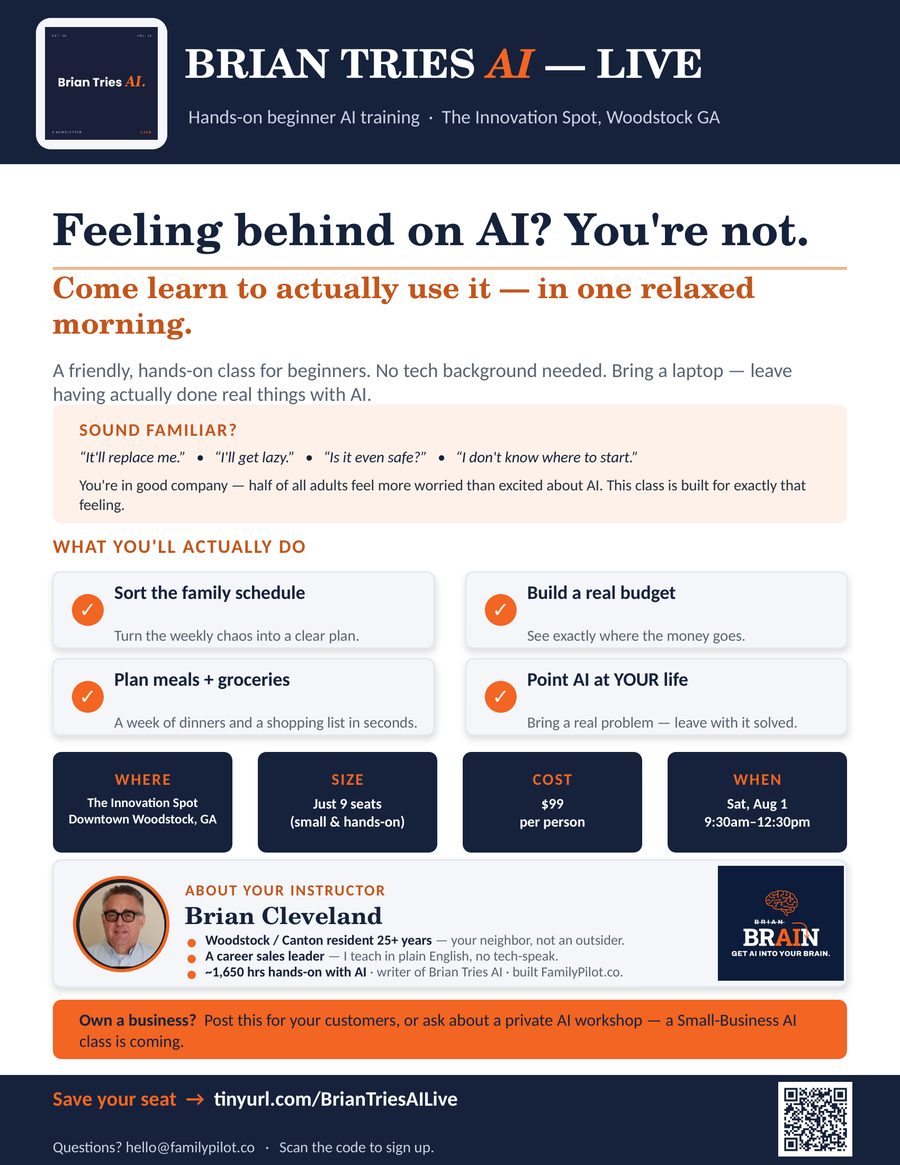
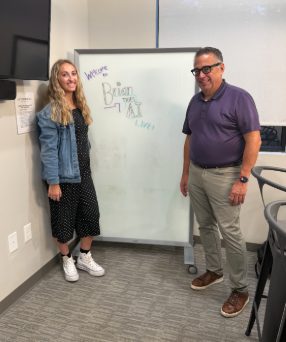
The flyer that filled the room
No ad spend. A printed flyer at the venue, ten local Facebook groups, and a newsletter that already trusted me. That's the whole marketing plan, and it worked.
If you run something local and want the version of this that fits your town, just ask — I'll send you the file.
Range is fine
The room went from people who'd only ever used Google, to people already using AI at work and wanting to push further. Everybody found their level.
Hybrid works
Four in the room, four on a link, one class. If you can't get to Woodstock, you can still be in it.
The intermediate class exists now
Enough people asked on the day that I built it. It runs Saturday, October 24 — see the details.
Tell me you want in
Intermediate is Saturday, October 24 and the next Beginner class is Saturday, October 31. Leave your email and I'll send you the booking link first — and I'll ask what you want covered before I build it. The form asks which class, so say so. No spam, no drip campaign, no sales call.
Prefer email? hello@briantriesai.com
Can't make a class? Read the newsletter.
It's the same material, one bite at a time, every Sunday, for free.